

Firewall Clusters: Comparing High-Availability Firewall Solutions
What a firewall cluster is, why businesses need one - and how UniFi, Securepoint, and Sophos each solve high availability at your internet gateway.
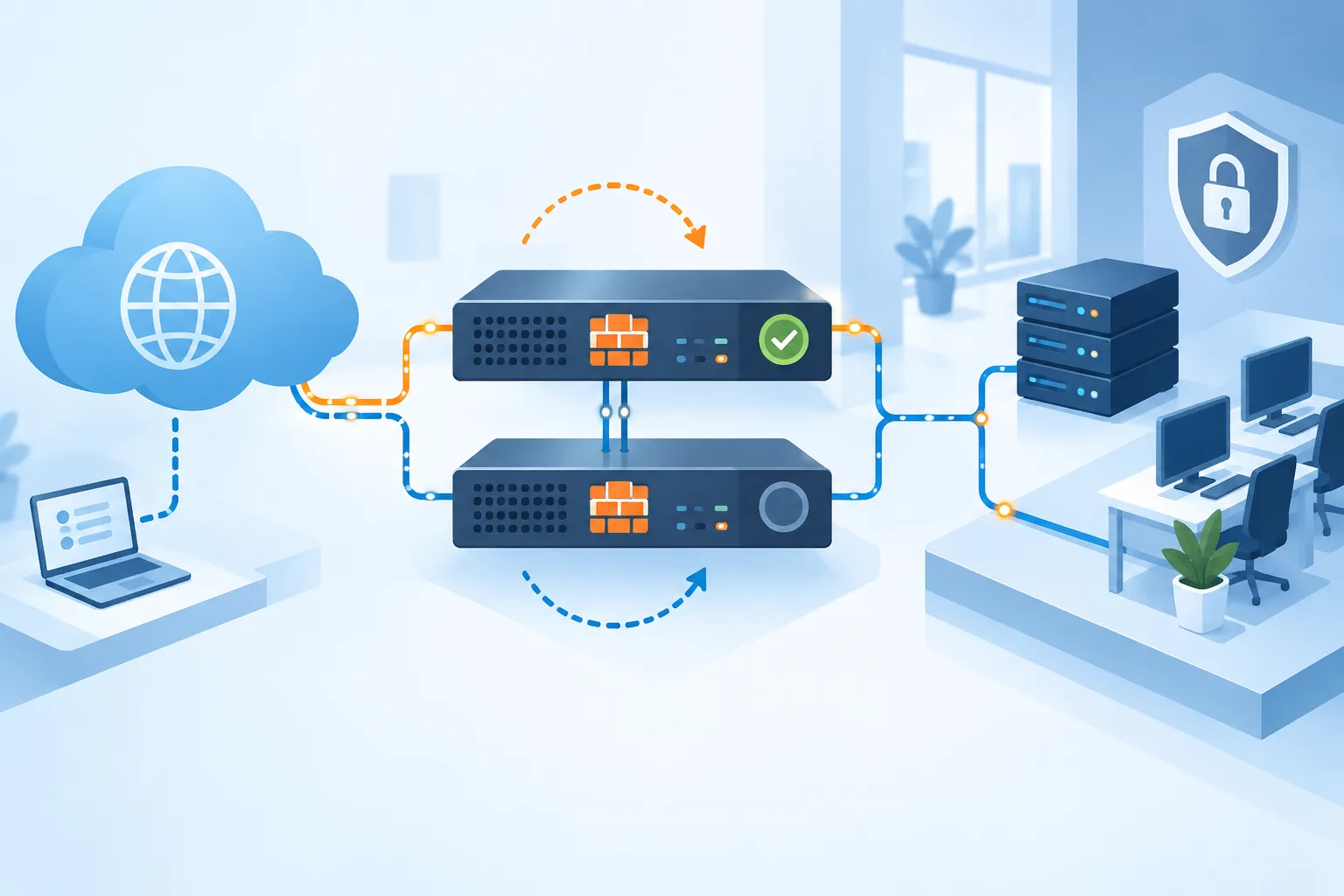
Your firewall is the central gateway between your business and the internet – if it fails, internet access, remote work, and sometimes even phone systems grind to a halt for many companies. A firewall cluster solves exactly this risk: two devices jointly handle the job of a single firewall, so operations continue without interruption if one device fails or needs scheduled maintenance.
How does a firewall cluster work?
The three vendors compared in this article all rely on the same core principle: two identical devices that monitor each other.
- Active/Passive (hot standby): One device handles all traffic while the second stands by, automatically taking over the moment the active device fails, restarts, or loses its connection to its partner.
- Active/Active: Both devices handle traffic simultaneously and share the load – if one fails, the other takes over its connections as well.
In both setups, an ongoing "heartbeat" between the devices detects a failure immediately and triggers the switch automatically, with no manual intervention required.
UniFi (Ubiquiti): Shadow Mode
UniFi Cloud Gateways (e.g. UDM-Pro, UDM-SE, the Enterprise Fortress Gateway) support an active/passive mode called Shadow Mode, based on the standard VRRP protocol. The secondary device stays in factory-default state and automatically takes over the primary device's configuration on failure, with no manual setup beforehand required. Two identical devices are required – mixing different models is not supported.
Typical for: small offices through mid-sized businesses; the Enterprise Fortress Gateway also covers larger sites.
Securepoint: Hot-Standby Cluster
Securepoint UTM appliances offer an active/passive cluster (master and spare) that likewise synchronizes over VRRP. Both devices monitor each other; the standby device takes over automatically on a restart, loss of connection on the HA interfaces, or manual deactivation. Requirements are two identical appliances with at least three network interfaces, matching firmware, and a separate cluster license for the second device.
Typical for: the classic German SME segment, often managed by an IT service provider.
Sophos Firewall: Active/Passive and Active/Active
The Sophos Firewall series (XGS) is the only one of the three vendors here to support both cluster modes: classic active/passive failover as well as true active/active with load balancing across both devices. Here too, two identical models with matching firmware and port configuration are required; hardware and virtual appliances cannot be clustered together.
Typical for: a broad range from small sites up to environments with higher throughput demands, where active/active is particularly useful.
Which solution fits your business?
All three approaches reliably prevent a single hardware fault or maintenance window from becoming a complete internet outage. The differences are in the details: UniFi stands out for especially simple setup, Securepoint for a transparent licensing model built specifically for cluster operation, and Sophos additionally offers true load balancing via active/active for higher throughput requirements. Which solution makes sense in your case depends on your existing infrastructure, company size, and throughput requirements – we're happy to work through that with you in a no-obligation conversation. We fully operate and monitor our Managed Firewall for you – in cluster operation just as with a single device.
Frequently asked questions
Do I really need two devices for high availability? Yes – all three solutions presented here require two identical devices that monitor each other. Only this setup allows an automatic takeover on failure.
How long does the switchover take during an outage? The switchover happens automatically, with no manual intervention, as soon as the failure of the active device is detected. Exactly how fast and how seamless this is in practice depends on the vendor, the configuration, and the services running – not every application experiences the switchover as fully uninterrupted.
Can I extend my existing single firewall into a cluster? Usually yes, provided a second identical device is available – for Securepoint, an additional separate cluster license is also required. We're happy to check this for your specific firewall.
Does a firewall cluster replace a separate backup strategy? No. A firewall cluster protects against losing internet access, not against data loss. A backup strategy of your own (see our guide to the 3-2-1 backup rule) remains necessary regardless.
Conclusion
A firewall cluster makes sense for businesses where losing internet access would noticeably disrupt operations – for example with remote work setups, cloud telephony, or time-critical cloud services. Whether UniFi, Securepoint, or Sophos is the right choice depends on your existing infrastructure and requirements. Get in touch – we advise you vendor-neutrally.
Sources
More guides

Making Email Security Work for Your Business
Email remains the most common attack vector. How SPF, DKIM, and DMARC protect against spoofing, and which organizational measures complete the picture.

IT System Monitoring: Spotting Problems Earlier
Outages usually announce themselves before they become visible. How proactive monitoring of servers, network, backup, and security catches problems before they turn into emergencies.
read more : IT System Monitoring: Spotting Problems Earlier →

Website Maintenance: Why a Hosted Website Needs Ongoing Care
Domain renewal, SSL certificate, backups, monitoring: why a website that's never touched again after launch becomes a security and outage risk.
read more : Website Maintenance: Why a Hosted Website Needs Ongoing Care →